
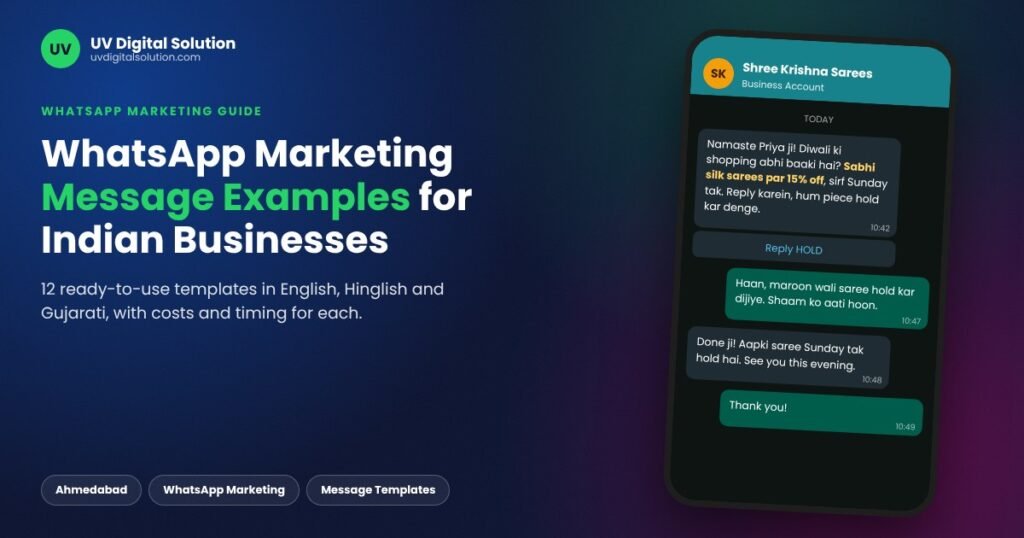
WhatsApp Marketing Message Examples for Indian Businesses: 12 Templates That Get Replies
Quick answer: A WhatsApp marketing message that works in India names the customer, names your shop, gives one clear offer with a deadline, and ends with one action the customer can take in a single tap. Below are 12 WhatsApp marketing message examples written for Indian businesses, from a Diwali offer in Hinglish to a refill reminder for a pharmacy, along with what each type costs to send and which sending route suits it.
We write and send messages like these every week for salons, jewellers, coaching classes, wholesalers and clinics across Ahmedabad. Since 2022, more than 100 local businesses have run campaigns with us, and one pattern repeats: the message that sounds like the shop owner typed it gets replies, while the message that reads like a pamphlet gets muted.
Anatomy of a WhatsApp Message That Gets Replies
Six parts, under 60 words, one action
What Makes a WhatsApp Marketing Message Get Replies
Customers in India read WhatsApp the way they read messages from family. Anything that looks like a forward from a stranger is ignored or reported. Six elements decide which way your message goes.
| Element | What to do | Example line |
|---|---|---|
| Greeting | Use the first name, never “Dear Customer” | “Namaste Priya ji,” |
| Sender | Say who you are in the first line | “Shree Ganesh Jewellers, Maninagar here.” |
| Offer | One offer only, with a real number | “Flat 20% off making charges” |
| Deadline | A specific date, not “limited period” | “Till Sunday, 9 pm” |
| Action | One action: reply, tap, call or visit | “Reply YES to reserve your slot” |
| Exit | An easy way to stop messages | “Reply STOP to opt out” |
Keep the full message under 60 words where you can. The notification preview shows only the first line or two, so the offer has to sit near the top or it never gets seen.
6 WhatsApp Marketing Message Examples by Purpose
Copy these, change the details in square brackets, and send. On the WhatsApp Business API, the square brackets become numbered variables such as {{1}} and {{2}} when you submit the template to Meta for approval.
1. Welcome Message for a New Customer
Promising a frequency on day one makes every later message feel expected rather than random.
2. Festive Offer Message in Hinglish
Send festive offers 7 to 10 days before the festival, not on the day. On the festival itself, families are busy with puja and guests, and your offer sinks under a pile of greeting forwards.
Festive WhatsApp Campaign Calendar for Gujarat
When to start sending, not when the festival falls
Festival dates move each year with the Hindu calendar, so check the panchang before planning.
3. New Arrival or Restock Alert
This works best for customers who enquired earlier, because the message answers a question they already asked.
4. Appointment Reminder
As long as it carries no offer, Meta treats this as a utility message. Add “get 10% off your next visit” and it becomes a marketing message, which costs about seven times more to send on the API.
5. Google Review Request
Send it within a couple of hours of the visit, while the experience is still fresh in the customer’s mind.
6. Win-Back Message for an Inactive Customer
“Show this message at the counter” turns the chat into a coupon, and your staff can count exactly how many customers came back because of it.
WhatsApp Marketing Messages by Industry
Timing matters as much as wording. Each line below fits a real buying moment for that type of business.
| Industry | Example message | When it works best |
|---|---|---|
| Salon or beauty parlour | “Wedding season slots are filling up. Bridal trial this week at Rs [Price]. Reply BOOK.” | 4 to 6 weeks before wedding dates peak |
| Jewellery shop | “Gold booking open for Akshaya Tritiya. Lock today’s rate with Rs [Amount] advance.” | 2 weeks before Akshaya Tritiya or Dhanteras |
| Coaching institute | “New [Batch] starts [Date]. Free demo class this Saturday. Reply DEMO to book a seat.” | Right after board results |
| Wholesaler or B2B supplier | “Fresh stock of [Product] landed. Rate list attached. Order before Friday for Monday dispatch.” | Start of the week, when retailers plan orders |
| Pharmacy | “Your monthly refill is due. Reply YES and we will keep it packed for pickup.” | 3 to 4 days before the refill date |
| Sweet shop or restaurant | “Uttarayan special: undhiyu and chikki pre-orders open till [Date]. Reply ORDER.” | One week before Uttarayan |
Writing WhatsApp Messages in Hinglish and Gujarati
An Ahmedabad customer who speaks Gujarati at home can read English, yet replies faster to a message in the language they think in. Romanised Gujarati or Hindi, written in English letters, usually lands better than the native script, because that is how many customers type on their own phones.
Three habits keep regional messages clear. Write prices, discounts and dates in digits, never in words. Stick to two languages at most in one message. Before a full send, test both versions on a batch of 200 contacts and keep whichever earns more replies.
Marketing vs Utility Messages: What Each One Costs to Send
On the WhatsApp Business API, Meta charges for every delivered template, and the category decides the price. These are Meta’s current India rates, before GST and before any platform fee your provider adds.
| Category | What it covers | Meta rate per message (India) |
|---|---|---|
| Marketing | Offers, festive sales, new arrivals, win-back messages | Rs 0.8631 |
| Utility | Appointment reminders, order updates, refill reminders with no offer | Rs 0.115 |
| Authentication | One-time passwords | Rs 0.115 |
| Service | Your replies within 24 hours after the customer messages first | Free |
A festive send to 5,000 contacts costs about Rs 4,316 in Meta charges, or roughly Rs 5,092 once 18% GST is added. Provider markup comes on top of that, which we break down line by line in our rupee-by-rupee guide to WhatsApp API pricing in India.
Messages That Get Reported and Accounts Restricted
A well-written offer can still get your number flagged if it reaches the wrong people in the wrong way. These are the habits we see behind most complaints:
- Messaging numbers bought from a data seller, where the customer has never heard of your shop
- Sending four or five promotions a week to the same person
- Posting an image and a link with no text, which looks exactly like spam
- Using shortened links that hide where they lead
- Pushing the same text to 10,000 contacts in one go from a brand new number
Each of these feeds directly into why WhatsApp marketing accounts get blocked, and recovering a restricted number takes days that no business can spare in festive season.
Choosing How to Send These Messages
The same message can go out through four routes. They differ in how they connect to WhatsApp, which we explain in how WhatsApp marketing systems actually work, and in practice the differences look like this:
| Route | Suits | Reach | Template approval |
|---|---|---|---|
| WhatsApp Business App broadcast | Shops with a few hundred regular customers | Lists of up to 256, delivered only to people who saved your number | Not needed |
| Virtual Number Panel | Promotions to larger lists without risking your main shop number | Thousands of contacts per campaign | Not needed |
| WhatsApp sending software | Teams that want to schedule, personalise and track from one dashboard | Depends on the account type connected | Depends on setup |
| WhatsApp Business API | Brands that need the green tick, automation or CRM links | Up to 1 lakh messages a day once Meta-verified | Required for every template |
A shop testing bulk promotions for the first time usually starts on a Virtual Number Panel, while a business sending reminders and order updates at scale is better off on the WhatsApp Business API. Owners who want to run campaigns themselves can manage contacts, media and follow-ups through our WhatsApp sending software. If you would rather hand over the writing, scheduling and sending altogether, our whatsapp bulk marketing service covers all three, and we tell you honestly which route fits your list size before you pay anything.
Frequently Asked Questions
Can I send WhatsApp marketing messages to customers who have not saved my number?
Not through a WhatsApp Business App broadcast, which only reaches people who saved your number. Through the API you can, provided the customer agreed to receive messages. The simplest way to collect that agreement is at the billing counter: a QR code beside the cash desk, or a staff member asking “Can we WhatsApp you our offers?” and noting the yes.
How many WhatsApp marketing messages per week is too many?
For most local shops, one or two promotional messages a week is the ceiling. Reminders and order updates that the customer is expecting do not feel like spam, but a daily offer gets your chat muted within a fortnight, and a muted chat never sees your festive campaign.
Do WhatsApp marketing messages need DLT registration like SMS?
No. DLT registration for SMS is a TRAI requirement for commercial text messages sent through telecom operators. WhatsApp runs on its own rules instead: on the API, Meta approves each template before you can send it.
Should I put the offer inside an image or in the text?
Put it in the text. A product photo with two or three lines of text below it earns more replies than a poster with every word inside the image, because text inside an image never shows in the notification preview and cannot be read by customers on slow data.
Want these messages written in your shop’s voice and sent before the next festival? Call or WhatsApp us on +91 90230 79063, or walk in at our Nikol office in Ahmedabad, Monday to Saturday, 10 am to 6 pm.

