
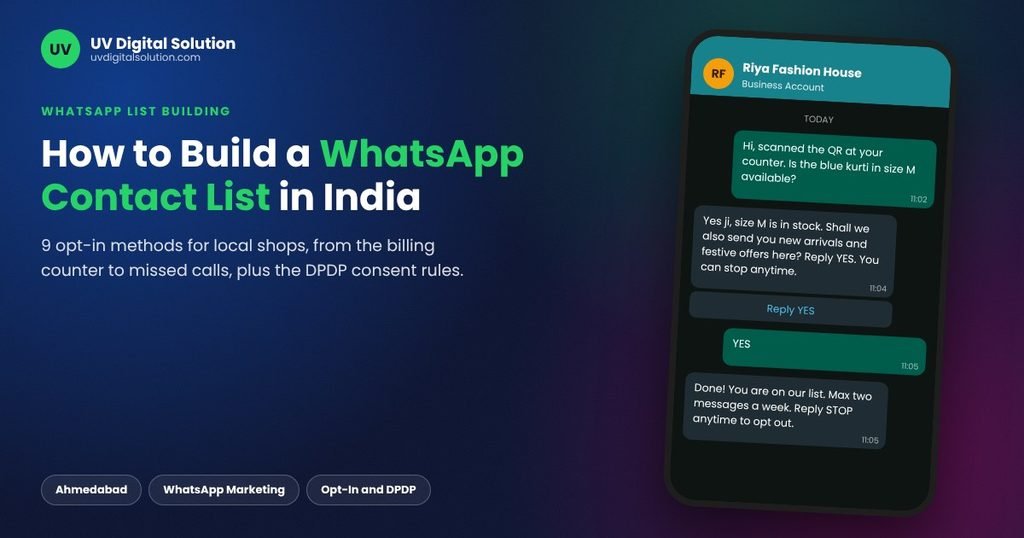
Quick answer: To build a WhatsApp contact list in India, collect each customer’s number together with a clear yes to receiving messages from your business, record where and when that yes was given, and make stopping as easy as joining. The fastest sources for a local shop are the billing counter, a QR code at the counter, the chat button on your Google profile, a missed call line and click-to-WhatsApp ads.
Most Ahmedabad businesses that come to us for campaigns already have a list. It is usually an Excel sheet of billing numbers, exhibition leads and contacts copied from a phone. Since 2022 we have helped more than 100 local businesses run WhatsApp campaigns, and the list decides the result long before the message does. A list of 800 people who said yes outperforms 8,000 numbers nobody asked, and it keeps your number safe while doing it.
What Counts as a Valid WhatsApp Opt-In in India
Two sets of rules apply: WhatsApp’s own Business Messaging Policy, and India’s Digital Personal Data Protection (DPDP) Act, 2023.
Since its November 2024 policy update, Meta accepts opt-in that is general rather than WhatsApp-specific, provided the person clearly agreed to receive messages from your business and you followed local law while collecting it. Paper forms, in-person consent, SMS, website forms, phone calls and replies inside a WhatsApp chat are all accepted methods.
The DPDP Act sets a stricter bar. Section 6 says consent must be free, specific, informed, unconditional and unambiguous, given through a clear affirmative action, and withdrawable as easily as it was given. Under the phased DPDP Rules notified in November 2025, these consent obligations take effect on 13 May 2027. Businesses that start collecting clean consent now will not have to rebuild their list later.
| Requirement | Meta’s WhatsApp policy | DPDP Act, 2023 |
|---|---|---|
| Customer must agree | Yes, to messages from your business | Yes, through a clear affirmative action |
| Business name stated | Yes | Yes, in a notice with the consent request |
| Purpose stated | Recommended (offers, updates, reminders) | Required and specific |
| Pre-ticked box allowed | Not a clear opt-in | No |
| Easy opt-out | Opt-out requests must be honoured | As easy as giving consent |
| Proof of consent | Your responsibility | Your responsibility |
A billing number on its own does not meet either standard. The customer shared it to get a bill, not offers.
9 Ways to Build a WhatsApp Contact List for a Local Business
1. Ask at the Billing Counter
This is the cheapest source and the most overlooked. Train your staff to ask one question while printing the bill: “Can we send you our offers and new arrivals on WhatsApp? You can stop anytime.” Note the yes in a register or your billing software with the date. Meta explicitly accepts consent given in person or on paper.
2. Put a WhatsApp QR Code at the Counter
The WhatsApp Business app creates a short link and QR code for your number. Print it with one line of purpose, such as “Scan for festive offers. Reply STOP anytime.” The customer sends the first message themselves, which is the strongest form of opt-in you can get. If you already have a Google review standee at the counter, place the WhatsApp QR right beside it so one glance covers both.
3. Add WhatsApp Chat to Your Google Business Profile
Verified Google Business Profiles can add a WhatsApp click-to-chat link under the Chat option, which shows a WhatsApp button to people who find you on Google Search and Maps. Every enquiry that arrives this way starts from the customer. A well-maintained Google Business Profile turns “near me” searches into WhatsApp conversations you can later invite onto your list.
4. Use a Website Form With an Unticked Box
Add a WhatsApp number field to your enquiry, booking or checkout form, with a separate unticked box that reads: “Send me offers and updates from [Business Name] on WhatsApp.” The box must stay unticked until the customer clicks it. If your site cannot do this cleanly, it is a small change for any team handling website development, and it keeps a timestamped record automatically.
5. Run a Missed Call or IVR Opt-In
Many customers in India are more comfortable giving a missed call than filling a form. Print a number on your pamphlet or shop board: “Give a missed call to get offers on WhatsApp.” An IVR device can go further and ask callers to press 1 to receive WhatsApp updates. Meta lists phone and IVR flows as accepted opt-in methods.
6. Ask Your SMS Audience to Reply YES
If you already send transactional SMS, add one line to a service message: “Want offers on WhatsApp? Reply YES.” Only the people who reply join your WhatsApp list. Businesses already using bulk SMS can move their most engaged customers to WhatsApp this way without cold messaging anyone.
7. Run Click-to-WhatsApp Ads
Instagram and Facebook ads can open a WhatsApp chat instead of a website. The customer taps, the chat opens with your business, and you ask for permission in your first reply. This works well alongside ongoing social media marketing, because the people who tap already know your page.
8. Ask Inside Existing Chats
Customers who message you for prices or availability have not yet agreed to offers. End a helpful reply with: “Shall we send you new arrivals and festive offers here? Reply YES.” Tag the ones who agree in your WhatsApp Business labels or sending dashboard.
9. Collect Written Consent at Exhibitions and Events
Trade fair leads are the most common source of bad lists. Use a form or tablet with a checkbox and your business name, and send a welcome message the same evening while the visit is fresh. A visitor who gave a card without agreeing to messages is a lead to call, not a WhatsApp contact.
| Method | Effort | Best for | Proof you keep |
|---|---|---|---|
| Billing counter ask | Low | Retail, salons, pharmacies | Register or billing software note |
| Counter QR code | Low | Any walk-in business | Customer’s first message |
| Google profile chat | Low | Businesses found on Maps | Customer’s first message |
| Website checkbox | Medium | Online enquiries and bookings | Form timestamp |
| Missed call or IVR | Medium | Pamphlets, hoardings, print ads | Call log |
| SMS reply YES | Low | Businesses already sending SMS | SMS reply record |
| Click-to-WhatsApp ads | Medium | New customer acquisition | Chat history |
| Ask inside chats | Low | High enquiry volume | Chat history |
| Event forms | Medium | B2B, exhibitions, education fairs | Signed or digital form |
Record Consent So You Can Prove It
Under both Meta’s policy and the DPDP Act, proving consent is the business’s job. For every contact, keep five fields: the number, the date, the source (counter, QR, website, missed call), what they agreed to receive, and whether they have opted out. A simple Google Sheet works for the first few hundred contacts. Beyond that, our WhatsApp sending software lets you organise opted-in contacts by source and interest, so a Navratri offer goes only to the people who asked for festive updates.
The Consent Record: Five Fields for Every Contact
What to store so you can prove each opt-in
Meta’s policy and the DPDP Act both place the burden of proof on the business.
Old lists need attention too. The DPDP Act asks businesses that collected data before the Act took effect to give those people a notice explaining how their data is used. A short WhatsApp or SMS message to past customers asking whether they want to keep receiving offers handles the notice and cleans the list in one step.
List-Building Shortcuts That Cost You the Number
- Buying a “targeted” database of Ahmedabad numbers from a data seller
- Copying numbers from WhatsApp groups you are a member of
- Importing every contact saved on the shop owner’s phone
- Using a pre-ticked consent box on your website
- Adding customers to a WhatsApp group without asking, which also shows every member’s number to strangers
These lists bring in people who never expected your message, and their reports are exactly the pattern that gets business numbers restricted. A blocked number in Diwali week costs far more than the months it takes to build a clean list.
What to Send Once Someone Joins
Send a welcome message within 24 hours that names your business, says what kind of messages to expect and how often, and explains how to stop. We have shared ready-to-use welcome, festive and review templates in our WhatsApp marketing message examples guide. Waiting weeks before the first message is the quickest way to make a genuine opt-in feel like spam.
When your list crosses a few hundred contacts, manual broadcasting stops being practical. Larger volumes, automation and the green tick run through the WhatsApp Business API. If you would rather we handle the setup, consent records and campaign sending, our whatsapp bulk marketing service starts by checking your existing list, and we tell you honestly how much of it is usable before you spend anything.
Frequently Asked Questions
Can I send WhatsApp offers to customers who gave their number at billing?
Not on the strength of the bill alone. The number was shared for a transaction, so it does not show agreement to receive offers. Ask for permission at the counter or send a one-time message asking whether they want updates, and keep only the people who say yes.
Is a WhatsApp group a good alternative to a contact list?
For promotions, no. Group members can see each other’s numbers, which most customers do not expect from a shop, and one irritated member can report the whole group. Broadcasts and API campaigns keep each customer’s number private.
Do I need fresh consent from customers I already have?
If you cannot show when and how a customer agreed, treat them as unconfirmed. Send one polite message asking whether they would like to continue receiving offers. Those who reply yes become confirmed contacts, and you now have a record for the DPDP rules that apply from May 2027.
What should I do when a customer replies STOP?
Remove them from every marketing list the same day and mark the opt-out in your records so they are not re-imported later. Meta’s policy requires businesses to honour opt-out requests, and the DPDP Act gives customers the right to withdraw consent at any time.
Want help turning your billing book and Excel sheets into a WhatsApp list you can actually use? Call or WhatsApp us on +91 90230 79063, or walk in at our Nikol office in Ahmedabad, Monday to Saturday, 10 am to 6 pm.

